Chromatic changelog: April 2026
PR comments, automatic flake tracing, and published MCP

This month’s Chromatic release makes it easier to review and debug without leaving your usual workflow. Developers can now get test results directly in GitHub PR comments, and unstable snapshots now include Playwright traces automatically, so you can skip the manual rerun.
GitHub PR comments (beta)
Everyone reviewing a pull request can now see the UI test status without digging through the PR checks status list. Chromatic posts a comment that includes the number of visual and accessibility changes, plus a link to your published Storybook, so developers, designers, and anyone else in the review thread can see the latest status.
The comment updates automatically with each new build on the same PR.
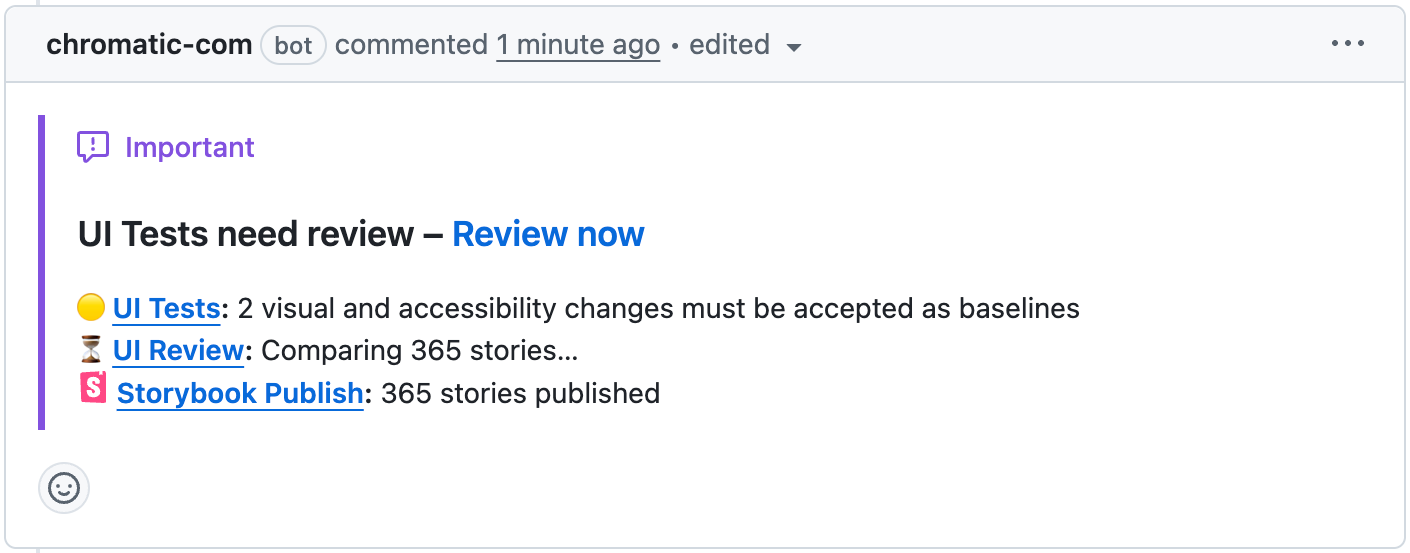
The comment is created the first time a build posts results for a PR, and updates automatically with each new build on the same PR.
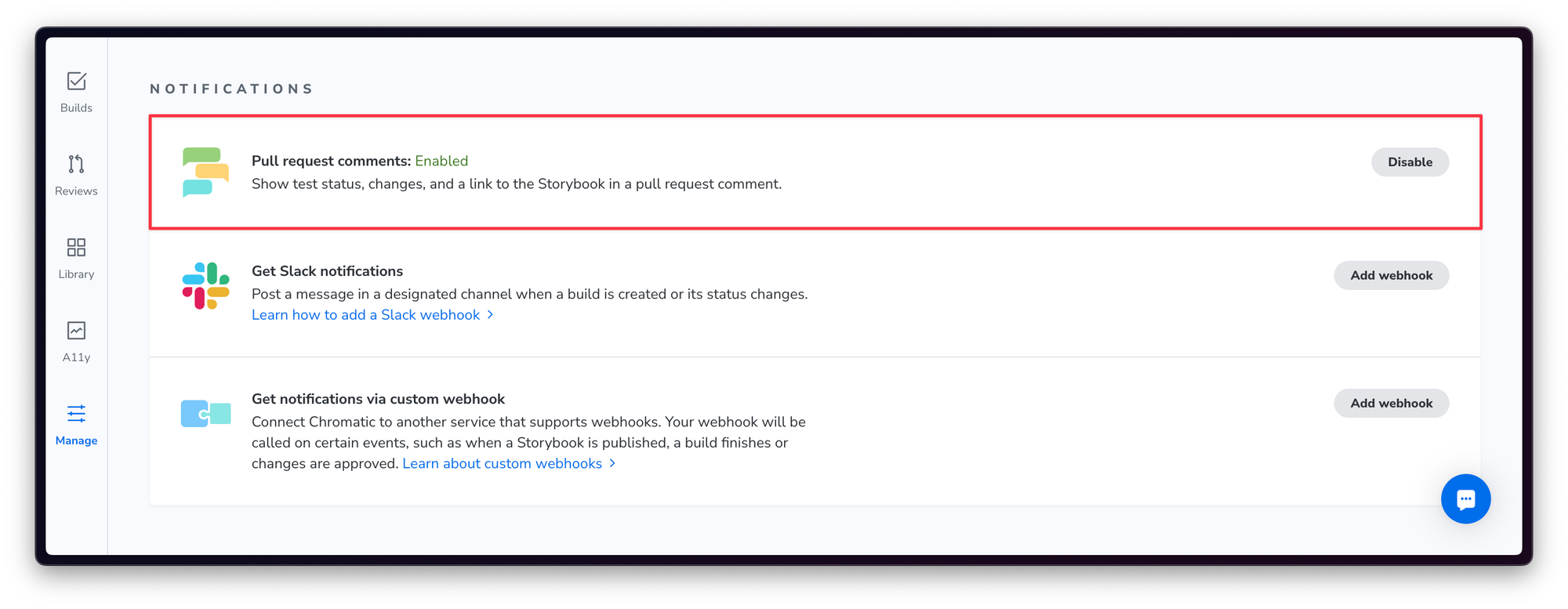
This feature is opt-in per project. Enable it from your project’s “Manage” screen.
Monorepo support
For monorepos linked to multiple Chromatic projects, you’ll see one comment per project. We’re actively working on consolidating results from multiple projects into a single comment.
Automatic tracing for unstable snapshots
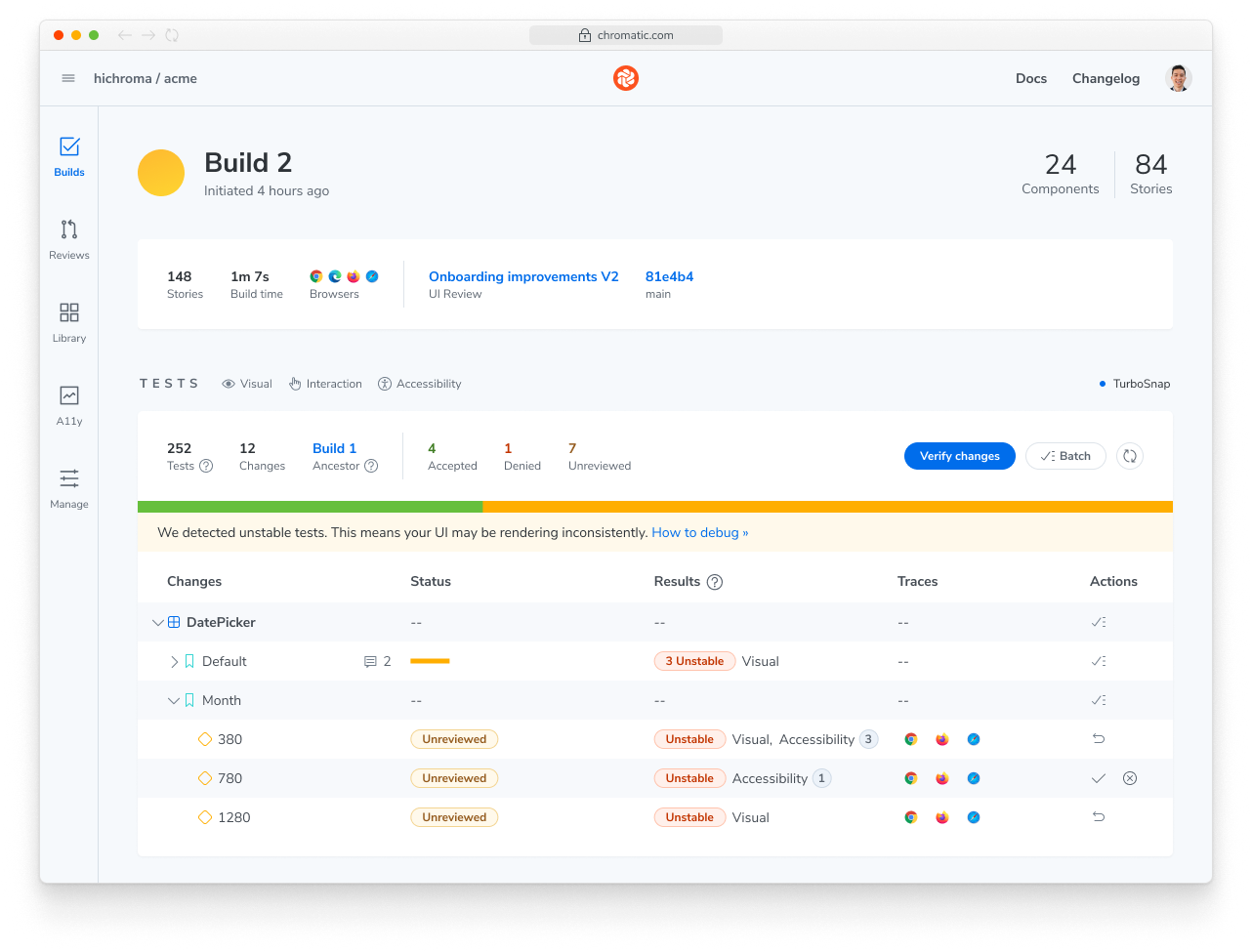
Chromatic proactively identifies “Unstable” snapshots and includes a Playwright trace for them, no rebuild required.
With SteadySnap, Chromatic resolves a third of stability issues with snapshots. However, some issues require manual intervention. With automatic tracing, you can jump straight into the trace to diagnose what’s happening and fix it using the Chromatic snapshot troubleshooting guide.
Publish your Storybook MCP server with Chromatic
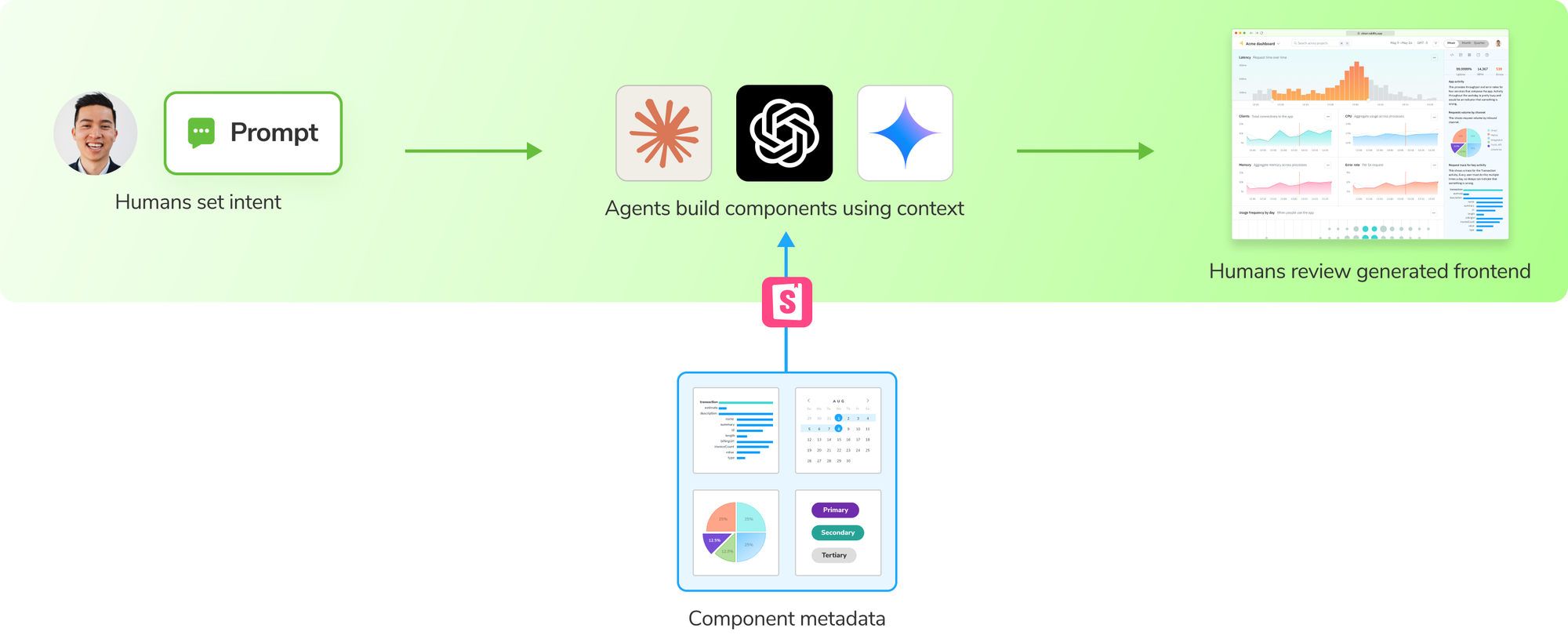
Last month we launched the Storybook MCP server so AI agents can understand your component library and reuse existing components instead of inventing new ones.
Chromatic automatically publishes an MCP server for your Storybook, giving agents access to your approved components and patterns. This helps agents reuse what you’ve already shipped to build UI that matches your product.
Check out our quickstart guide to started →